Introduction
Listing marketing is often where operational gaps become visible first.
A listing goes live, but assets are incomplete, launch timing slips by channel, and follow-up on inquiries is inconsistent. By the time the workflow stabilizes, initial momentum is gone.
That is why listing marketing automation real estate teams can trust is a major competitive advantage.
A good system ensures every listing launches with consistent quality, channel coverage, and follow-up execution.
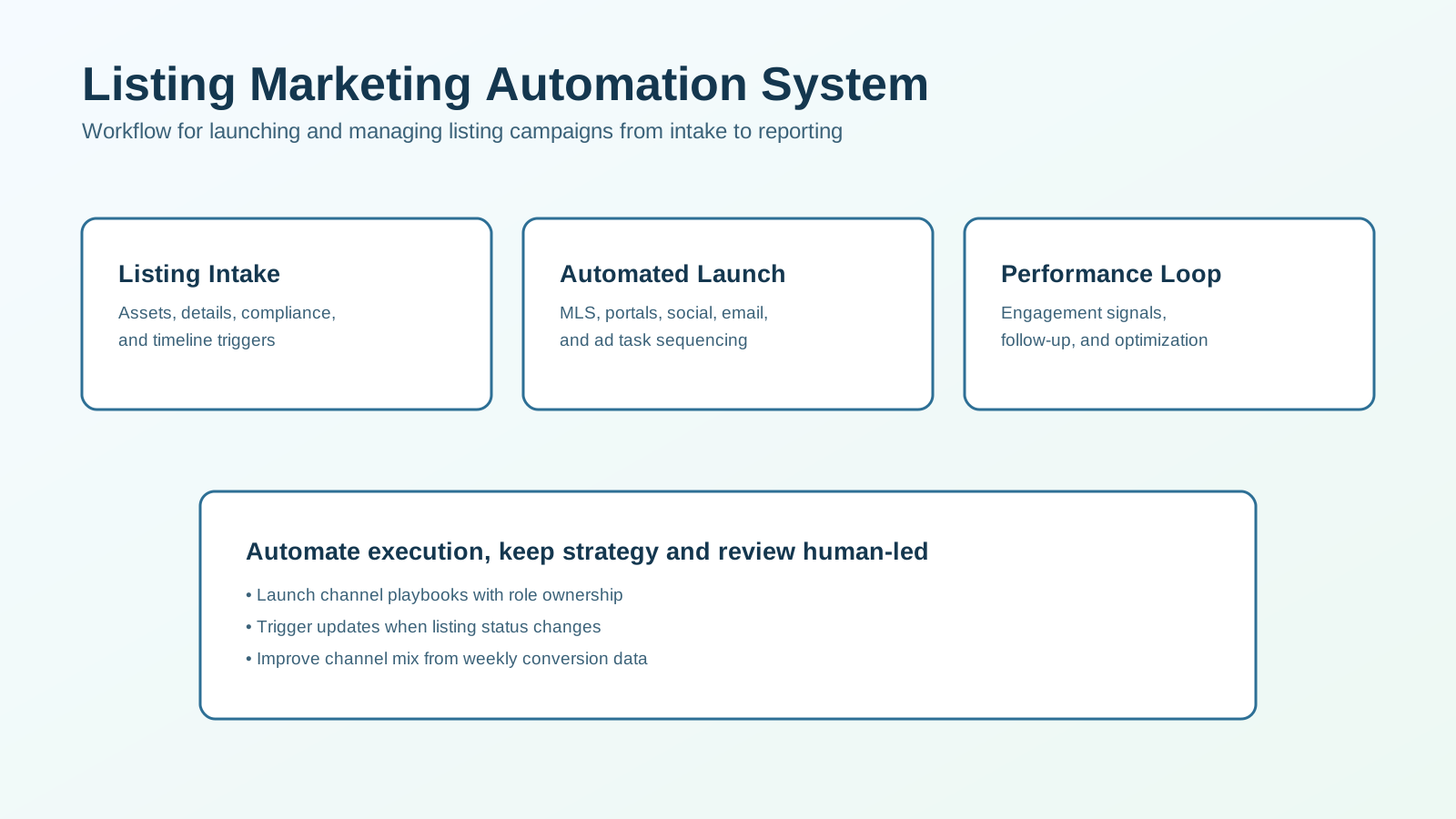
This guide shows how to build a repeatable listing marketing workflow from intake through performance optimization.
For the higher-level operating model behind this topic, see Real Estate Marketing Automation first and then use this article for the listing-specific version.
What a Listing Marketing Automation System Should Do
A practical system should:
- collect required listing assets and approvals,
- trigger channel-specific launch tasks automatically,
- sequence communications across email, social, and paid channels,
- route inquiries into CRM follow-up workflows,
- monitor performance and trigger optimization actions.
If your listing launch depends on manual reminders, quality will vary under volume pressure.
Why Teams Need This Workflow
Common listing-marketing failure points:
- missing media or copy at launch,
- delayed channel activation,
- no consistent posting sequence,
- inquiry follow-up lag,
- no weekly performance review loop.
Automation improves:
- launch consistency,
- time-to-market,
- inquiry response speed,
- channel coordination,
- conversion visibility.
The objective is not just listing exposure. It is listing-to-conversation conversion.
Core Architecture
1. Listing Intake Layer
Create a required intake package:
- property details,
- approved listing copy,
- photo/video assets,
- disclosure/compliance requirements,
- target timeline and channel plan.
No launch should start until intake is complete.
2. Launch Sequencing Layer
Trigger role-based tasks:
- MLS publish,
- portal sync checks,
- social launch sequence,
- email campaign publish,
- ad-set activation.
Each task should have owner, due time, and completion status.
3. Engagement Layer
Coordinate post-launch touchpoints:
- listing announcement emails,
- social repost cadence,
- ad rotation,
- interest-based follow-up content.
Timing should align across channels, not run independently.
4. Inquiry Handoff Layer
When inquiries arrive:
- apply source tags,
- route to assigned owner,
- trigger immediate response tasks,
- log channel and listing context.
Fast handoff preserves listing momentum.
5. Optimization Layer
Track weekly:
- engagement by channel,
- inquiry quality,
- showing requests,
- consultation/offer progression,
- cost efficiency by channel.
Use data to tune channel mix and messaging.
Workflow Diagram
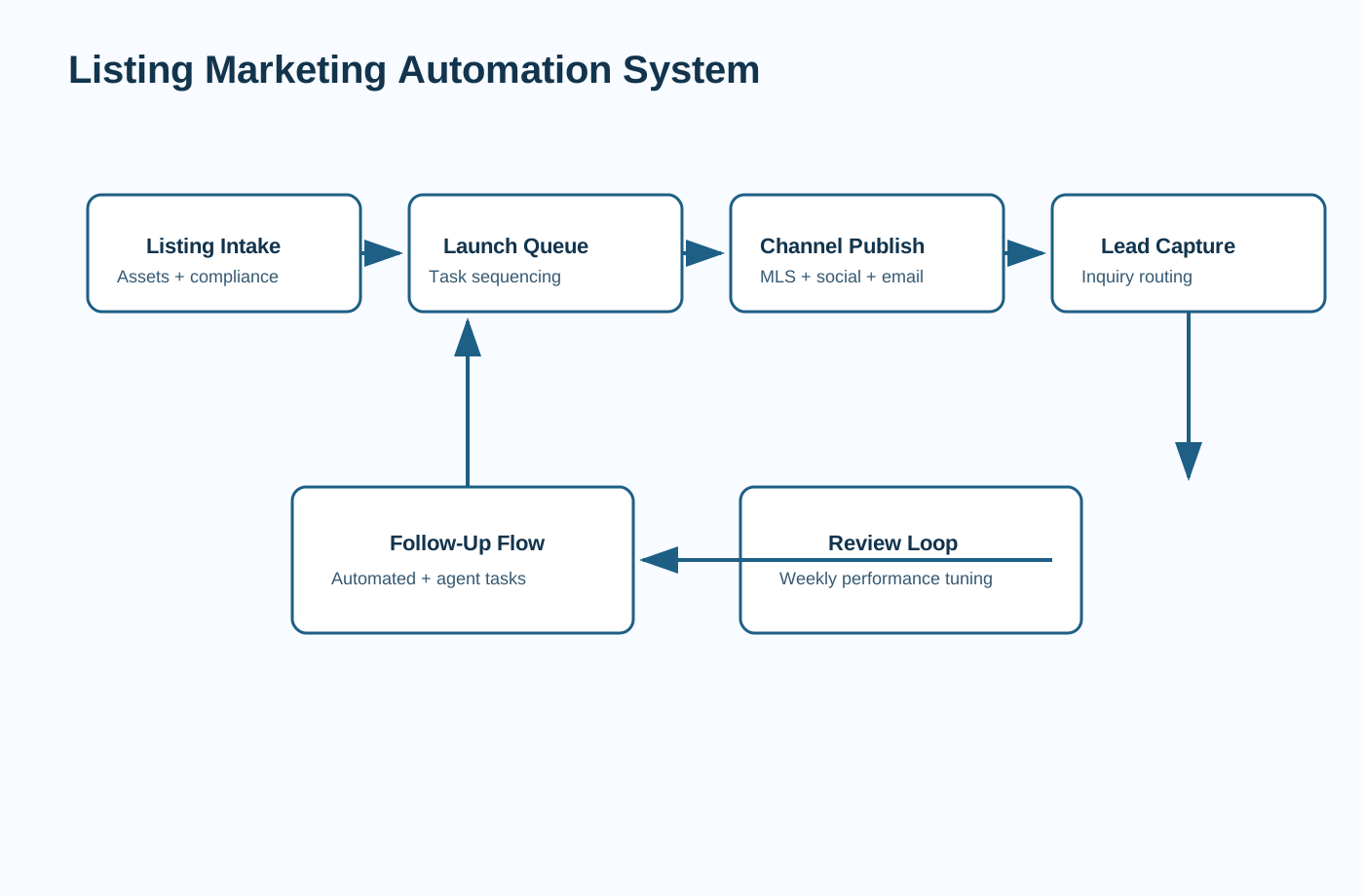
Use this structure as your baseline launch-to-optimization model.
Recommended Listing Workflow Blueprint
Step 1: Intake Completion Trigger
Before any launch action:
- verify required fields,
- confirm approved assets,
- assign listing campaign owner,
- set launch date milestones.
This prevents fragmented campaign starts.
Step 2: Automated Launch Queue
When intake is complete, create task bundle:
- MLS publish task,
- channel-specific copy tasks,
- scheduling tasks for social/email,
- paid campaign setup tasks.
Bundle tasks into one listing launch board for visibility.
Step 3: Multi-Channel Publishing Sequence
Run a defined timeline:
- Day 0: listing launch announcement,
- Day 1-2: feature highlight posts,
- Day 3-5: neighborhood/value angle content,
- Day 6+: urgency/next-step prompts.
Keep sequence adaptable by engagement signals.
Step 4: Inquiry Routing and Follow-Up
Every inquiry should:
- create CRM lead record,
- assign owner automatically,
- trigger immediate response task,
- enter listing-specific follow-up sequence.
Route high-intent responses for live calls quickly.
Step 5: Status-Based Automations
When listing status changes:
- update campaign messaging,
- pause outdated promotions,
- trigger under-contract/sold communication workflows,
- archive obsolete tasks.
Status automation avoids stale messaging errors.
Step 6: Weekly Performance Review
Review:
- channel-level engagement,
- inquiry-to-showing conversion,
- response SLA adherence,
- best-performing message variants.
Use reviews to refine the next listing launch playbook.
Channel Playbook Design
Use for launch announcement, feature story, and periodic updates.
Social
Use for recurring visibility and format-specific property highlights.
Paid Promotion
Use for targeted reach expansion and retargeting high-interest audiences.
CRM Task Workflow
Use for human follow-up, showing coordination, and consultation conversion.
Each channel should have explicit objectives and timing windows.
Listing Content Automation Guidance
Automate first drafts, but keep human review for:
- factual accuracy,
- compliance-sensitive wording,
- market-specific positioning,
- brand tone consistency.
Content speed is useful only when quality remains reliable.
Team Operating Model
Define who owns what:
- listing coordinator: intake and launch QA,
- marketing ops: channel sequencing and schedule management,
- agent owner: inquiry follow-up and showing conversion,
- manager: KPI review and process improvement.
Without clear ownership, automation drift appears quickly.
KPI Dashboard for Listing Marketing
Execution Metrics
- time from intake completion to launch,
- on-time task completion rate,
- channel launch completeness.
Engagement Metrics
- click/response rate by channel,
- inquiry volume and quality,
- cost per inquiry (paid channels).
Outcome Metrics
- inquiry-to-showing rate,
- showing-to-consultation rate,
- listing-attributed conversion outcomes.
Measure weekly per listing and across listing cohorts.
Listing Workflow Automation Readiness Checklist
Before going live, verify:
- all required listing fields are complete and standardized,
- asset folders and naming conventions are enforced,
- channel launch tasks have owners and due-time alerts,
- inquiry routing to CRM is tested across channels,
- status-change automations are validated (
Active,Under Contract,Sold), - weekly review template is ready for use by the team lead.
This readiness check reduces launch errors and improves repeatability across listing volume.
Compliance and Risk Controls
Include controls for:
- approved claims and fair-housing-safe language,
- asset approval before publish,
- status-triggered message updates,
- audit logging of automated actions,
- role permissions for workflow edits.
Automation should reduce errors, not amplify them.
Common Failure Modes
Failure 1: Launches Start Before Intake Is Complete
Fix: require completion checks and approval gates.
Failure 2: Channel Silos
Fix: orchestrate one timeline across all active channels.
Failure 3: Inquiry Follow-Up Is Not Connected
Fix: enforce CRM routing and SLA tasks on every inquiry.
Failure 4: No Learning Loop
Fix: run weekly reviews and update listing playbooks continuously.
30-Day Implementation Plan
Week 1: System Design
- define intake fields and launch checklist,
- document channel sequence timeline,
- define ownership and SLA rules.
Week 2: Build
- configure launch task automation,
- connect inquiry routing to CRM,
- add status-change triggers.
Week 3: QA and Pilot
- run pilot on active listings,
- validate task timing and handoffs,
- test status-change automation.
Week 4: Go-Live + Optimization
- launch standardized workflow,
- publish KPI dashboard,
- tune playbook based on live results.
This rollout creates repeatability without over-complication.
Listing Launch Readiness Checklist
Use this gate before activating automation:
- complete property details and MLS-ready copy,
- approved image/video asset package,
- legal/compliance review completed,
- channel-specific creative variants prepared,
- launch owner and backup owner assigned,
- inquiry routing and follow-up tasks tested.
If any requirement is missing, delay launch and fix inputs first.
Strong launches start with operational discipline, not extra tools.
Listing Campaign Optimization Scorecard
Evaluate each active listing weekly using a 1-5 score per area:
- launch timeliness,
- channel execution completeness,
- inquiry response speed,
- lead quality by source,
- showing conversion progression.
Interpret results:
- 22-25: high-performing listing workflow,
- 16-21: stable but under-optimized,
- below 16: review launch sequence and inquiry routing immediately.
Scorecards help teams improve repeatably across listings instead of relying on subjective recap calls.
Role-Based Playbook for Listing Teams
Define clear responsibilities for each listing cycle.
Listing Coordinator
- owns intake quality and launch readiness,
- confirms approval gates and asset completeness.
Marketing Ops
- executes channel timeline,
- monitors task completion and publish status.
Agent Owner
- handles live inquiries and consultations,
- captures decision-context notes for optimization.
Team Lead/Manager
- reviews KPI trends,
- approves playbook changes and channel budget shifts.
This role model prevents duplicated effort and missed handoffs.
Frequently Asked Questions
What is a listing marketing automation system?
It is a workflow that automates listing launch, channel publishing, inquiry routing, and optimization actions.
What should we automate first?
Start with intake validation, launch task sequencing, and inquiry response routing.
Can listing marketing be fully automated?
Execution can be highly automated, but review, compliance, and strategy decisions should remain human-led.
What should we track first?
Begin with launch speed, inquiry response time, inquiry quality, and showing conversion.
Final Recommendation
Treat listing marketing automation as an execution framework that protects launch quality and response speed.
Start with intake controls and channel sequencing, then connect inquiry handoff to CRM follow-up workflows. Optimize weekly using channel-to-conversion metrics.
That system turns listing activity into consistent pipeline outcomes.
If you want this customized for your listing volume and team structure, schedule a consulting call and we can map your rollout plan.