Introduction
Most agents do not need more AI features. They need fewer bottlenecks.
The real question is not “Which tool has the most features?” The real question is “Which tools improve pipeline outcomes this quarter?”
That is why this guide compares the best ai tools for real estate agents by workflow impact, not by hype.
If you are evaluating ai tools for realtors or broader proptech ai tools, use this as a practical decision framework for your team size, lead volume, and operating model.
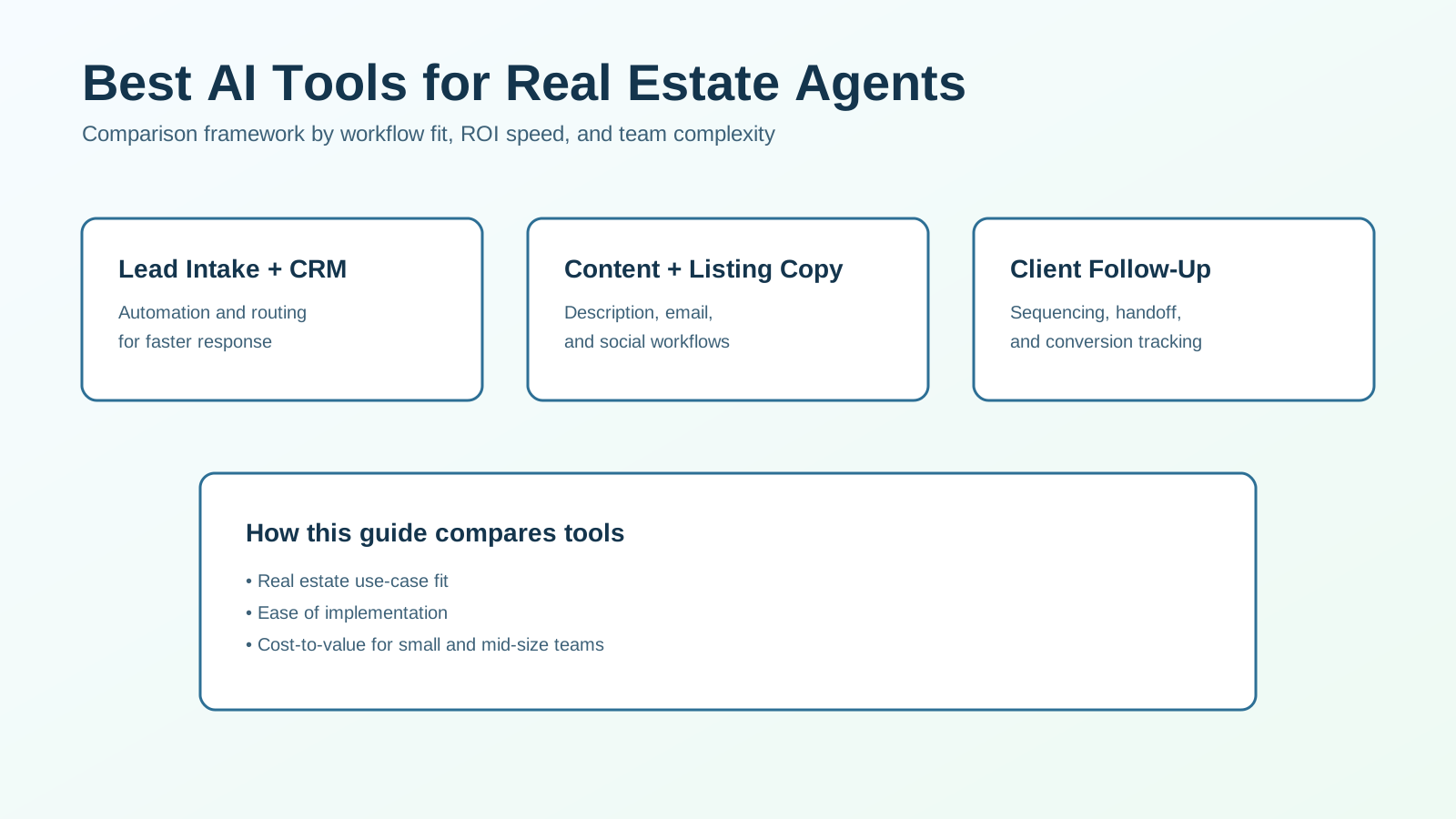
How This Comparison Is Structured
This article evaluates tools across the core workflows where agents usually feel the most friction:
- lead intake and qualification,
- follow-up and nurture automation,
- listing and marketing content production,
- client communication and research support,
- reporting and workflow orchestration.
Each category includes:
- best-fit tool types,
- practical strengths and tradeoffs,
- who should implement first.
This is a commercial-evaluation article. It is built to help you choose and implement, not just browse options.
Fast Decision Summary
If you want a practical starter stack, most teams begin here:
- General AI assistant: ChatGPT or Claude for drafting, planning, and repurposing copy.
- Workflow orchestration: Zapier or Make for lead-routing and trigger-based automations.
- CRM execution layer: your existing CRM automation features (or Follow Up Boss-style platform) for stage-based follow-up.
- Listing and marketing visuals: Canva AI tools for faster creative production.
- Research layer: Perplexity-style assistant for quick market/context research drafts.
The best stack is usually modular, not all-in-one.
Comparison Criteria That Actually Matter
Before comparing logos, define scoring criteria.
1. Workflow Fit
Does the tool solve a real operational bottleneck in your current process?
2. Time-to-Value
How quickly can the team launch useful workflows without long onboarding cycles?
3. Integration Risk
Can the tool connect reliably to your CRM, forms, and communication channels?
4. Quality Control
Can you enforce reviewed templates, approvals, and consistent messaging?
5. Total Cost of Ownership
Include software, setup time, maintenance burden, and retraining costs.
The wrong tool is often not “bad.” It is just misaligned with your current operational maturity.
Category 1: AI Assistants for Daily Agent Work
These tools help with writing, summarizing, and decision support.
| Tool type | Best for | Watch-out |
|---|---|---|
| General AI assistants (e.g., ChatGPT, Claude) | Drafting emails, follow-up scripts, listing copy variants | Needs strong prompting and review standards |
| Research assistants (e.g., Perplexity) | Fast synthesis for market prep and client questions | Must verify sources before external claims |
Best Fit
Use this category when your team spends too much time writing repetitive first drafts.
Practical Tip
Treat assistants as first-draft engines. Keep final compliance and brand review human-owned.
Category 2: CRM + Follow-Up Automation Tools
This category drives the fastest revenue impact because it affects speed-to-lead and consistency.
| Tool type | Best for | Watch-out |
|---|---|---|
| CRM-native AI/automation | Trigger-based follow-up, stage movement, tasking | May have limited flexibility in advanced branching |
| Specialized follow-up stacks | Multi-channel nurture and handoff workflows | Extra complexity if CRM integration is weak |
Best Fit
Teams with lead leakage, slow first response, or inconsistent handoffs should prioritize this first.
Practical Tip
Do not start with advanced scoring models. Start with basic routing, immediate acknowledgment, and clean stop rules.
For implementation details, see AI Client Follow-Up System.
Category 3: Listing Description and Marketing Copy Tools
These tools reduce production time for listing content and promotional assets.
| Tool type | Best for | Watch-out |
|---|---|---|
| Listing copy generators | Faster first drafts for property descriptions | Over-generic output without local detail inputs |
| Content repurposing tools | Turning one listing into email/social variants | Can drift off-brand without template governance |
Best Fit
Ideal for teams producing high listing volume or frequent campaign copy under tight deadlines.
Practical Tip
Use fixed brand voice templates and prohibited-claim rules to keep outputs consistent.
Category 4: Creative and Video Production AI Tools
Visual output speed matters for modern listing marketing.
| Tool type | Best for | Watch-out |
|---|---|---|
| Design AI (e.g., Canva AI features) | Listing graphics, social creatives, quick ad variants | Quality varies by template and brand setup |
| Video/audio AI (e.g., Descript-style tools) | Fast edits for walkthrough clips and talking-head content | Requires strong source footage and scripting discipline |
Best Fit
Use when content production bottlenecks delay campaign launch or social consistency.
Practical Tip
Create reusable templates first. Then layer AI for faster variant generation.
Category 5: Workflow Automation Platforms (Glue Layer)
These tools connect lead sources, CRM actions, and downstream notifications.
| Tool type | Best for | Watch-out |
|---|---|---|
| No-code automators (e.g., Zapier, Make) | Cross-tool triggers, routing, enrichment, alerts | Can become fragile without monitoring and naming standards |
| Ops orchestration workflows | Multi-step branching and exception handling | Requires disciplined documentation |
Best Fit
Teams using multiple systems with manual copy/paste handoffs should prioritize this layer.
Practical Tip
Document every automation in plain language. Hidden logic becomes a maintenance risk quickly.
Side-by-Side: Which Category Should You Buy First?
| Team situation | First AI category to prioritize | Why |
|---|---|---|
| Slow response to new leads | CRM + follow-up automation | Direct impact on speed-to-lead and conversion |
| High listing volume with copy bottlenecks | Listing/content generation | Immediate productivity gains |
| Inconsistent social and creative output | Creative production tools | Faster campaign consistency |
| Fragmented systems and manual handoffs | Workflow automation platform | Reduces ops friction across tools |
| Solo agent with limited budget | General AI assistant + one automation layer | Best cost-to-impact starting point |
Most teams should sequence purchases by conversion impact, not novelty.
Tool Evaluation Scorecard (Use Before You Buy)
Use this quick scorecard to compare shortlisted tools on the same criteria.
Rate each category from 1-5:
- workflow relevance to your current bottleneck
- setup complexity for your team today
- integration stability with your CRM and forms
- quality and consistency of output
- reporting visibility and measurement support
- cost relative to expected 90-day impact
Then calculate:
- Impact Score = workflow relevance + output quality + reporting visibility
- Execution Score = setup complexity + integration stability
- Value Score = Impact Score - cost friction
A high-value tool is not always the one with the highest feature count. It is the one your team can implement quickly and operate consistently.
Cost and ROI Reality
Typical Cost Pattern
- Low entry cost: general AI assistants
- Medium cost: creative and listing tools
- Medium-high cost: CRM and specialized follow-up systems
- Variable cost: workflow automators (depends on run volume and complexity)
ROI Pattern
Fastest measurable ROI usually comes from:
- first-response automation,
- improved follow-up consistency,
- reduced listing production cycle time.
Brand and content quality gains are important, but conversion-linked workflows usually pay back first.
Sample Tool Stack by Budget Level
If you want a simpler buying path, use budget-based packaging.
Lean Stack (Solo Agent)
- one general AI assistant
- one CRM-native follow-up automation flow
- one listing/content generation workflow
Focus on: speed-to-lead and listing throughput.
Growth Stack (Small Team)
- assistant + research layer
- CRM workflow automation plus routing rules
- creative production tools for repeatable campaigns
- lightweight integration layer for alerts and handoffs
Focus on: consistency across users and channels.
Scale Stack (Larger Team)
- governed prompt/template libraries
- advanced stage-based routing and SLA rules
- orchestration platform with monitoring
- dashboarding tied to source and funnel stage
Focus on: operational reliability and measurable pipeline lift.
Choose the smallest stack that solves your highest-cost process gap first.
Common Tool-Stack Mistakes
Mistake 1: Buying Too Many Tools at Once
Fix: launch in phases with one KPI owner per workflow.
Mistake 2: No Operating Standards
Fix: define approved prompts, templates, and handoff rules before scale.
Mistake 3: No Performance Instrumentation
Fix: track speed-to-lead, reply rate, qualification rate, and consult-booking rate from day one.
Mistake 4: Chasing All-in-One Platforms Prematurely
Fix: use a modular stack until process maturity makes consolidation valuable.
Recommended Buying Sequence (90-Day Plan)
Phase 1 (Weeks 1-3): High-Impact Core
- deploy CRM response triggers
- launch one approved first-touch template set
- implement basic lead-routing automation
Phase 2 (Weeks 4-8): Content Throughput
- roll out listing and email draft workflows
- standardize brand voice prompts
- implement review checkpoints
Phase 3 (Weeks 9-12): Optimization and Scale
- add workflow monitoring alerts
- refine qualification branching
- compare source-level conversion outcomes
This sequence reduces risk while producing visible business impact early.
Decision Framework: Solo Agent vs Team
Solo Agent
Prioritize:
- one general AI assistant,
- one lightweight automation layer,
- one listing/content tool.
Goal: save time and maintain consistent follow-up without operational overhead.
Small Team (2-10 Agents)
Prioritize:
- CRM automation + ownership rules,
- shared template libraries,
- reporting dashboard by source and stage.
Goal: consistency and accountability across multiple users.
Growth Team (10+ Agents)
Prioritize:
- workflow orchestration,
- stage-specific automations,
- quality controls and governance.
Goal: protect conversion quality while scaling lead volume.
Frequently Asked Questions
What are the best AI tools for real estate agents right now?
The best options depend on workflow stage, but most teams start with a general AI assistant, CRM automation, and listing/content generation tools.
Which AI tools for realtors show ROI fastest?
Tools that improve response speed, follow-up consistency, and listing production cycle time usually deliver first.
Should I choose one all-in-one proptech AI tool?
Usually not at first. A modular stack with clear ownership and integrations is more reliable early on.
Are these tools useful for solo agents?
Yes. Solo agents often see fast gains from reducing repetitive writing and follow-up tasks.
Final Recommendation
The “best” AI tool is the one that removes your highest-cost bottleneck first.
For most real estate agents, this means:
- start with follow-up and CRM automation,
- add content-generation tools for listing and marketing throughput,
- connect everything with a lightweight workflow layer,
- optimize based on conversion metrics, not feature counts.
If you want a tailored tool stack with implementation priorities and vendor fit, use our tool affiliate recommendations and we can map the right setup for your team.